Changing the password in the Webuzo panel
Find out how to change passwords in the Webuzo administration panel for user, file manager, and MySQL root. Follow the simple steps for maximum security.
Introduction
- In this tutorial, we will show how to change the passwords in the Webuzo administration panel.
Requirements
- a Webuzo account
Steps
- To change the passwords for the Webuzo panel, the file manager, and also the mysql root password, we will need to log in to the Webuzo admin panel, and then we will go to the Security section and click on Change Password

After accessing "Change Password", the window below will open with three sections as follows:
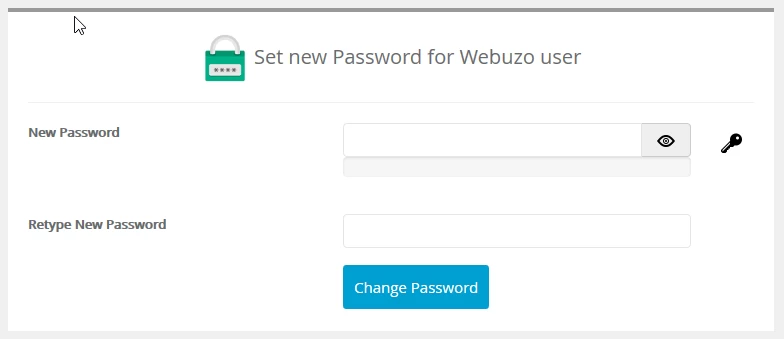
1. The section Set new Password for Webuzo User, from where we change the password for the Webuzo panel.
We use the key icon and this will automatically generate a secure password after which we click the Change Password button and the password will be changed immediately.
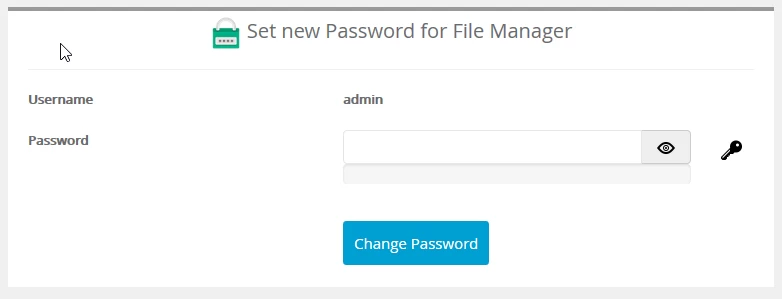
2. The section Set new Password for File Manager, where we change the password for the File Manager.
We use the key icon and it will automatically generate a secure password after which we press the Change Password button and the password will be changed immediately.
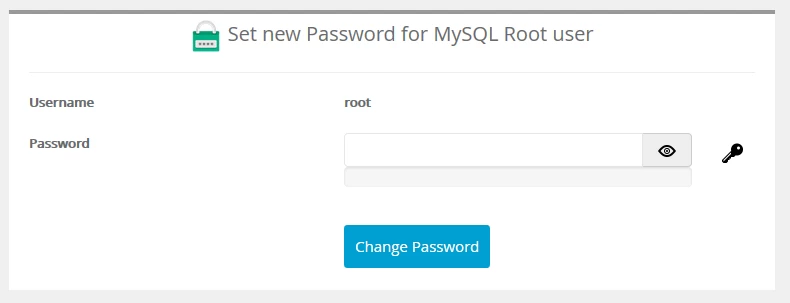
2. Section Set new Password for MySQL Root user, where we change the password of the MySQL root user.
We use the key icon and this will automatically generate a secure password after which we click the Change Password button and the password will be changed immediately.
For the security of your account, as soon as you change a password, you need to save it in a safe place and also be careful to whom you provide this information.