Tutorials • Plesk
Change Plesk password
The tutorial details the process of changing the password and credentials in Plesk, including for FTP and contact information. Follow the steps for easy updates.
Views 906Updated 1 anPublished on 30/04/2019by Alexandru J.
Introduction
- This tutorial shows how to change the Plesk panel credentials, FTP, and other contact information such as country of origin
Requirements
- A Plesk account
- Note: If these credentials are not known and in fact, this is the reason for attempting the change, contacting the technical department for password reset will be necessary.
Steps
- After logging into the Plesk administration panel, we will go to the My Profile section from the left menu where we can make the necessary changes.
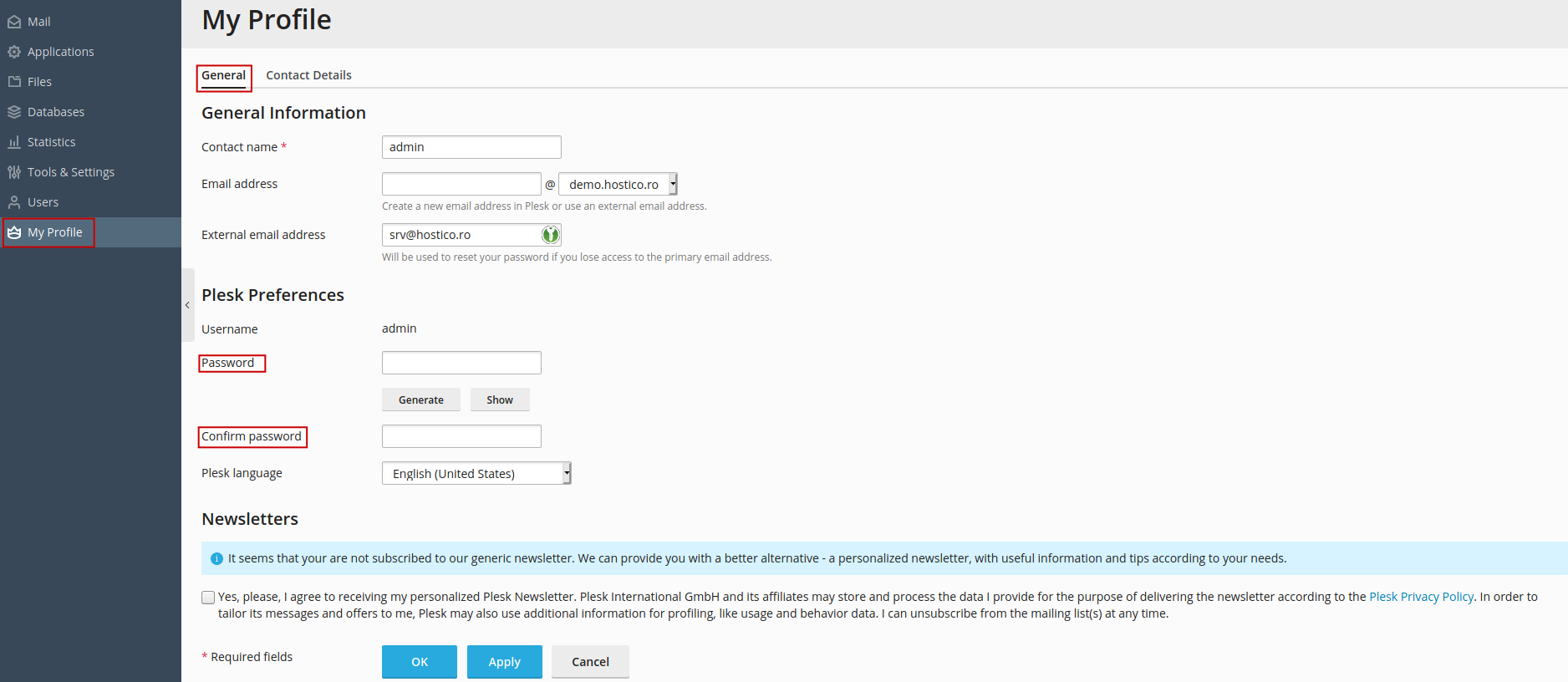
- The new credentials will be entered in both fields "Password " and "Confirm password " to confirm their correctness.
- For these to apply, press Apply and at the next login, use the new connection details.
- The contact email box as well as the language used by the panel can also be changed on this TAB.
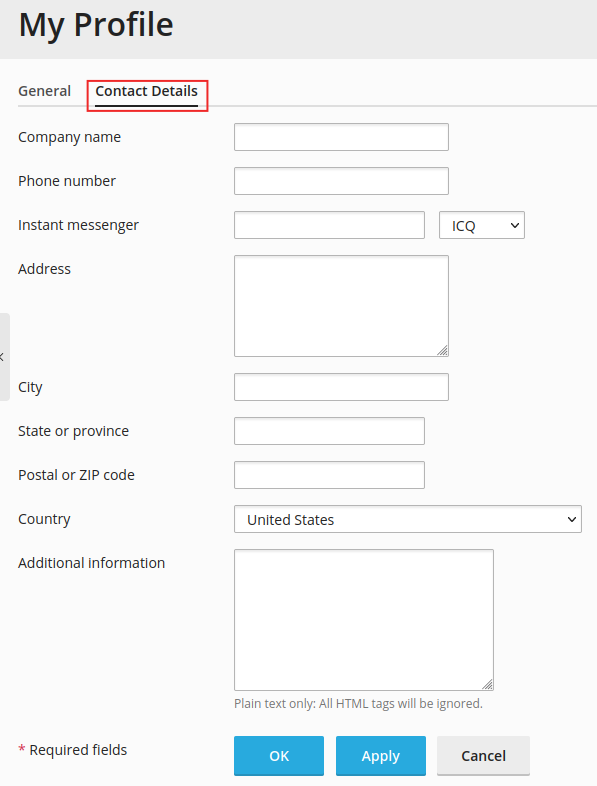
- Furthermore, to change contact details such as the company name, country of origin, state, phone number, etc., they can be modified in the Contact details TAB located adjacent to the previous one.
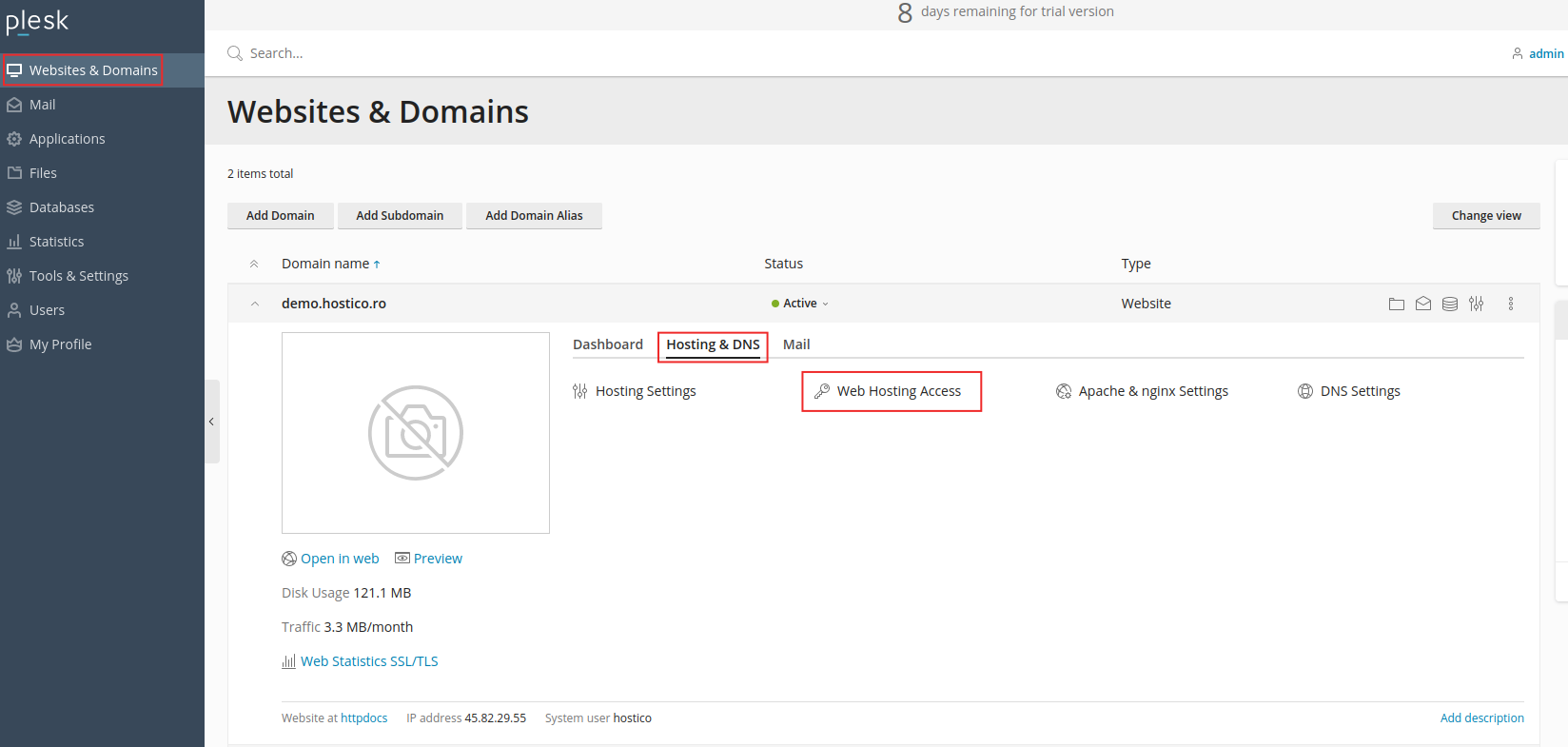
- To change the credentials of a user and the FTP password for a specific domain name/site, these can be done in Website & Domains and further through Web Hosting Access
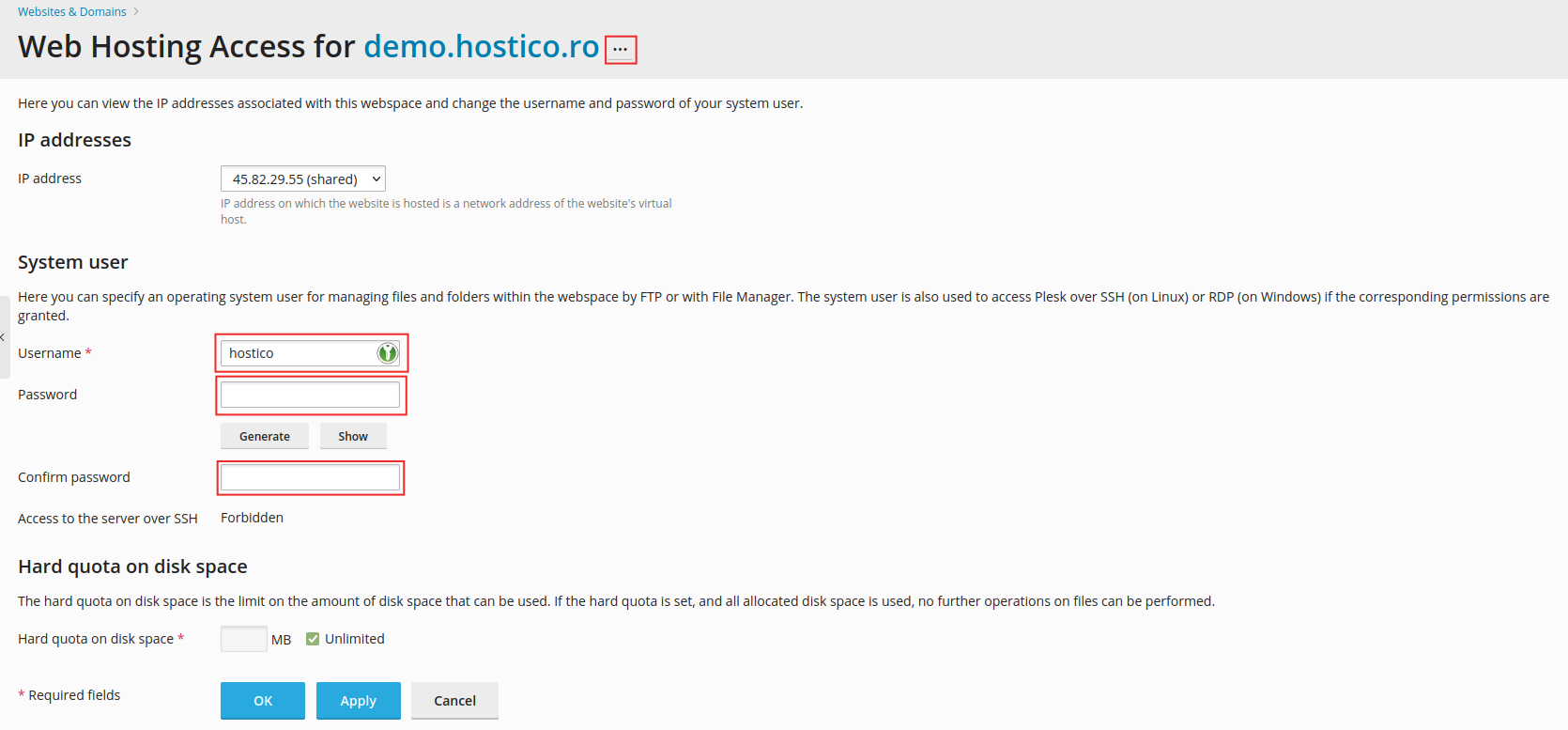
- If you have multiple sites hosted, you will need to verify to which site these changes are intended to be made in the header of the page at "Web Hosting Access For" site-name.
- If the site is not the correct one, next to the site name, within the dotted box, you will be able to search for the desired site.
- The credentials, like those of the Plesk panel, will change in the same way.