Tutorials • Commercial
Domain expiration check.
Find out how to check the expiration date of your domain in your Hostico account and important information about renewal.
Views 849Updated 2 aniPublished on 26/01/2019by Mark D.
Introduction
In this tutorial, we will show you how to find out the date when your domain expires;
Requirements
- A Hostico client account;
- An active domain in the account;
Steps
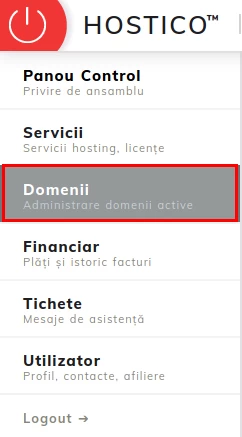
- After logging into the client account, go to the Domains;
section
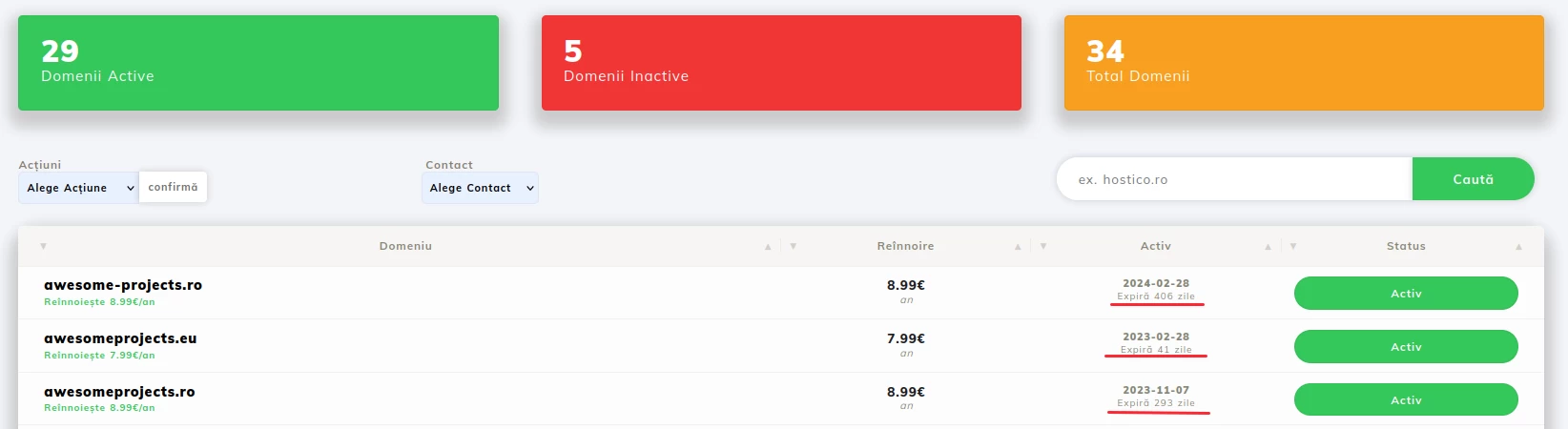
- There you will be able to view the domains you own as well as information about them, such as: registration date, expiration date, domain status;
Note
- The domain renewal invoice is issued automatically 14 days before the due date;
- If you want to pay for the domain renewal before the invoice is issued, please contact the sales department;