Tutorials • WHM
Mailbox conversion in WHM
Learn how to convert email accounts from maildir format to mdbox in WHM, with simple and clearly explained steps.
Views 836Updated 4 aniPublished on 24/11/2017by Florin P.
Introduction
In this tutorial, we will show you the necessary steps for converting an email account from the maildir format to mdbox in WHM.
Requirements
- Access to the WHN administration panel
Steps
- To start the conversion of email accounts to mdbox or maildir, we will need to log in to our WHM administration panel hostico.ro/whm and then go to Email Address.
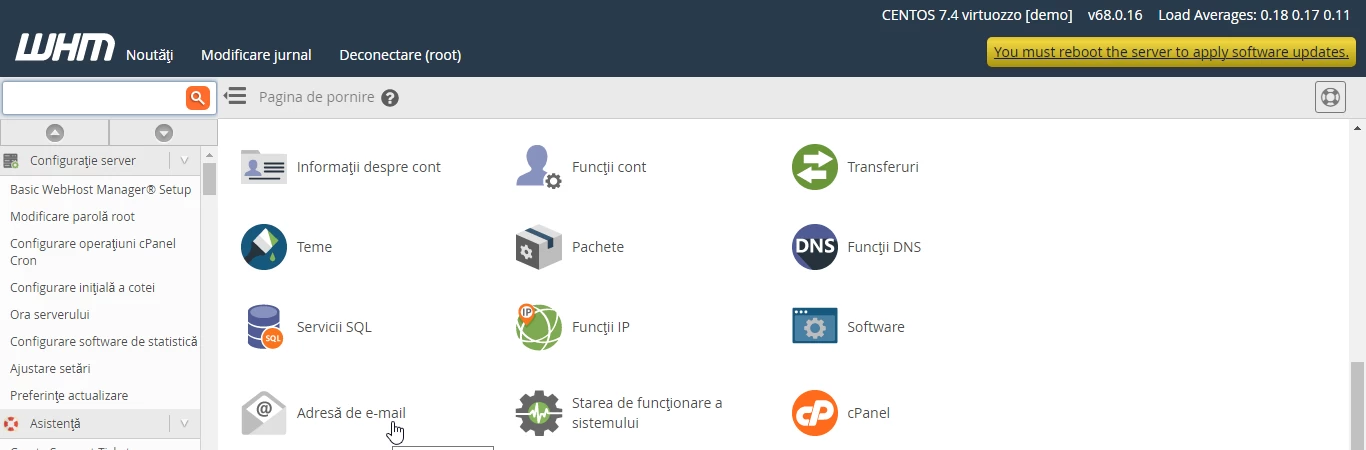
- By clicking on Email Address, a new page will open, and then we will go to Mailbox conversion.
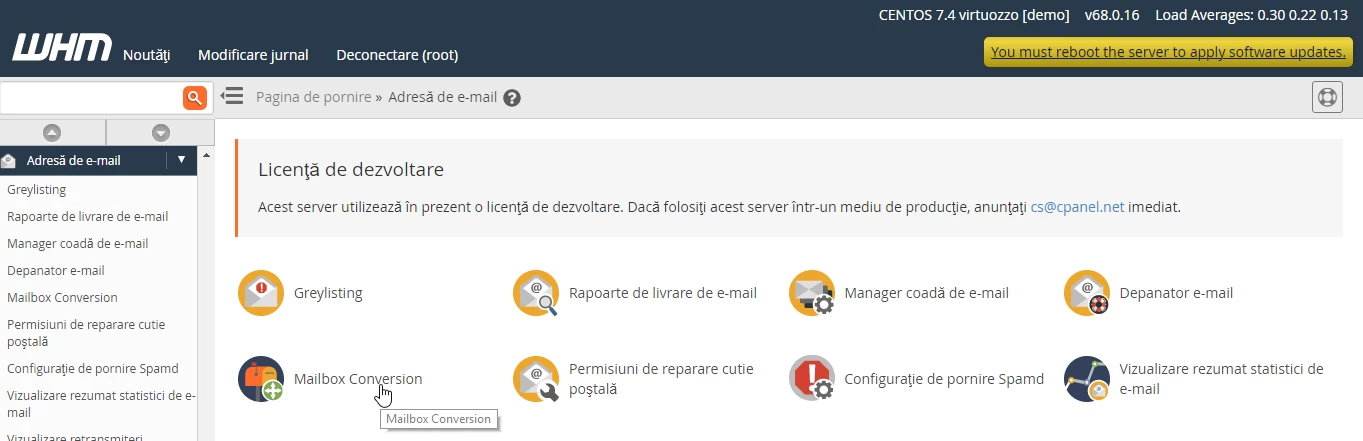
- Click on Mailbox Conversion and on the next page we will proceed to the actual conversion.
- Here we select the desired format by checking the Convert to mdbox box and clicking Next in the bottom right corner of the page.
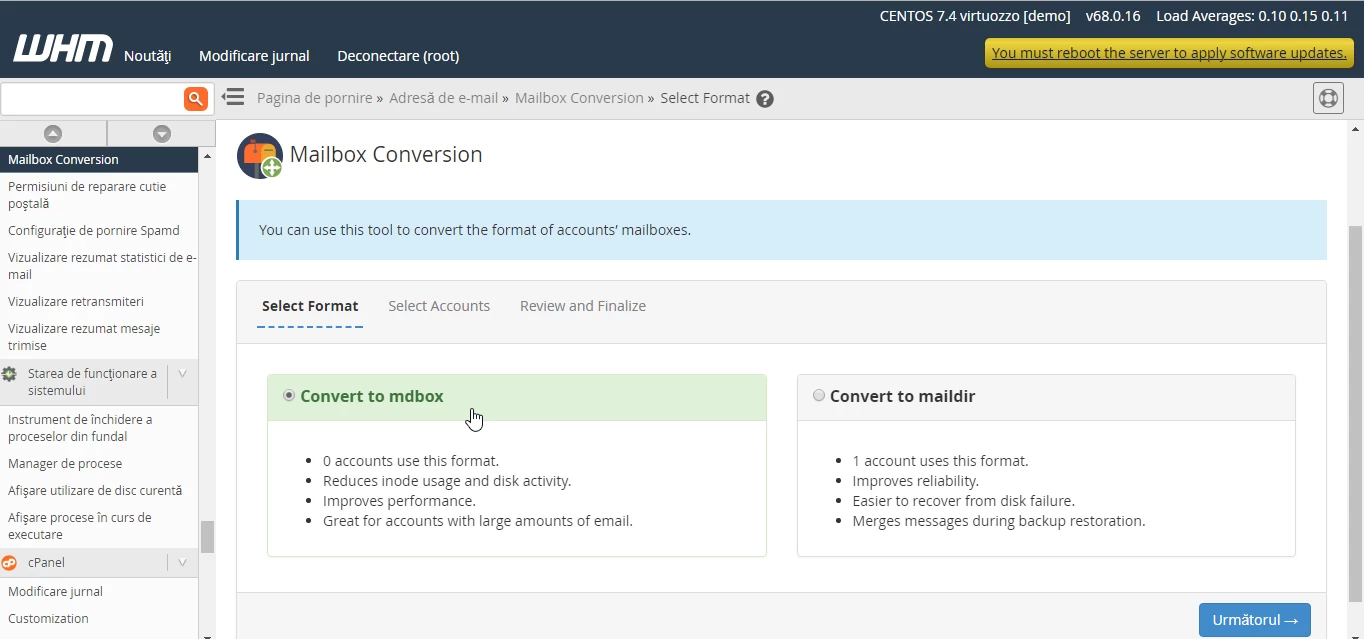
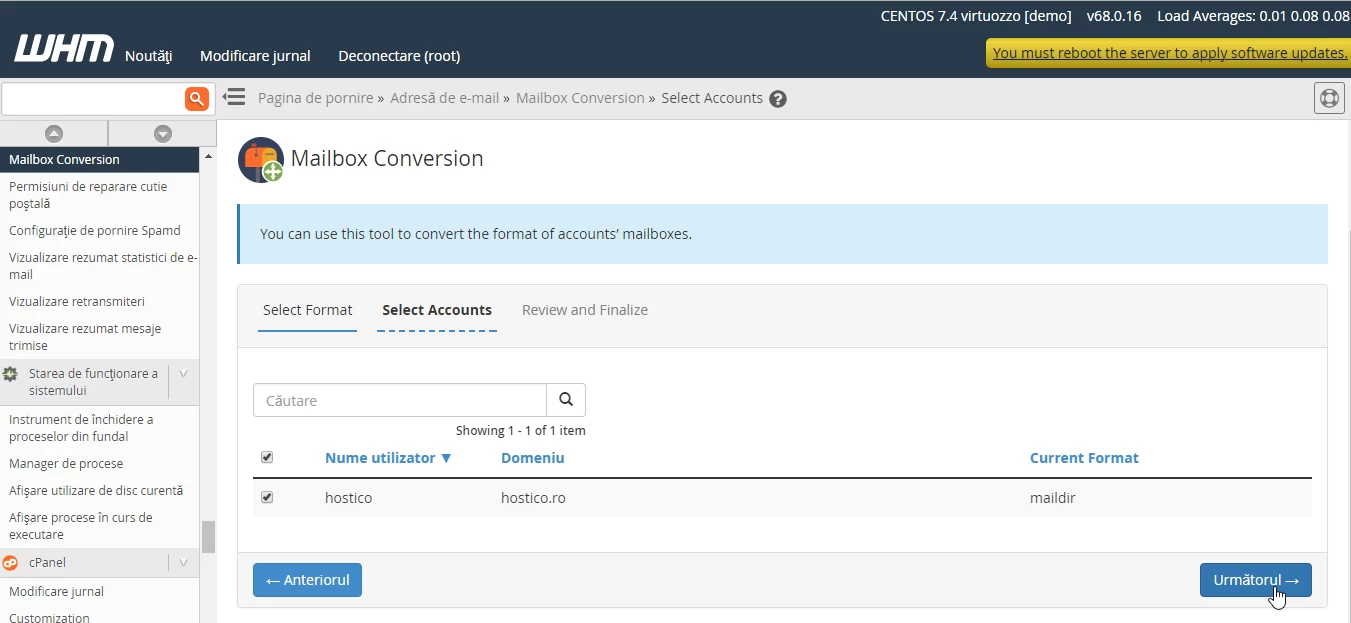
- The next step involves selecting the account for which we want to perform the conversion. On the page, we also have information about the current format of the email accounts, which is maildir and we are going to convert it to mdbox.
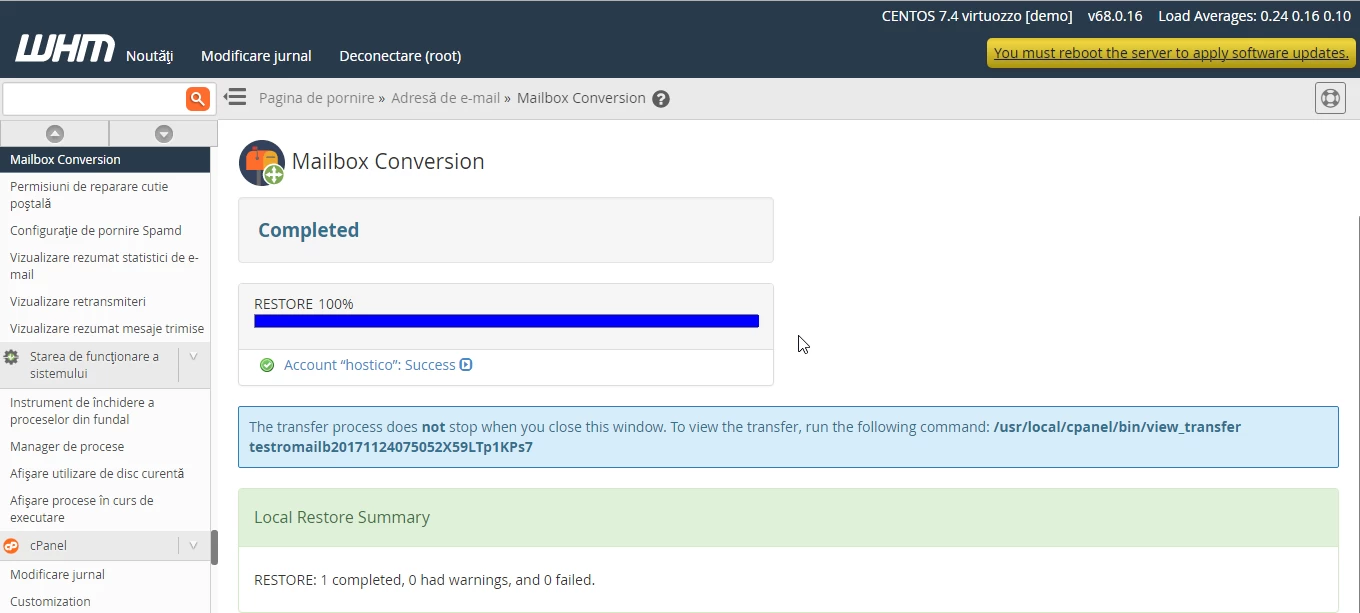
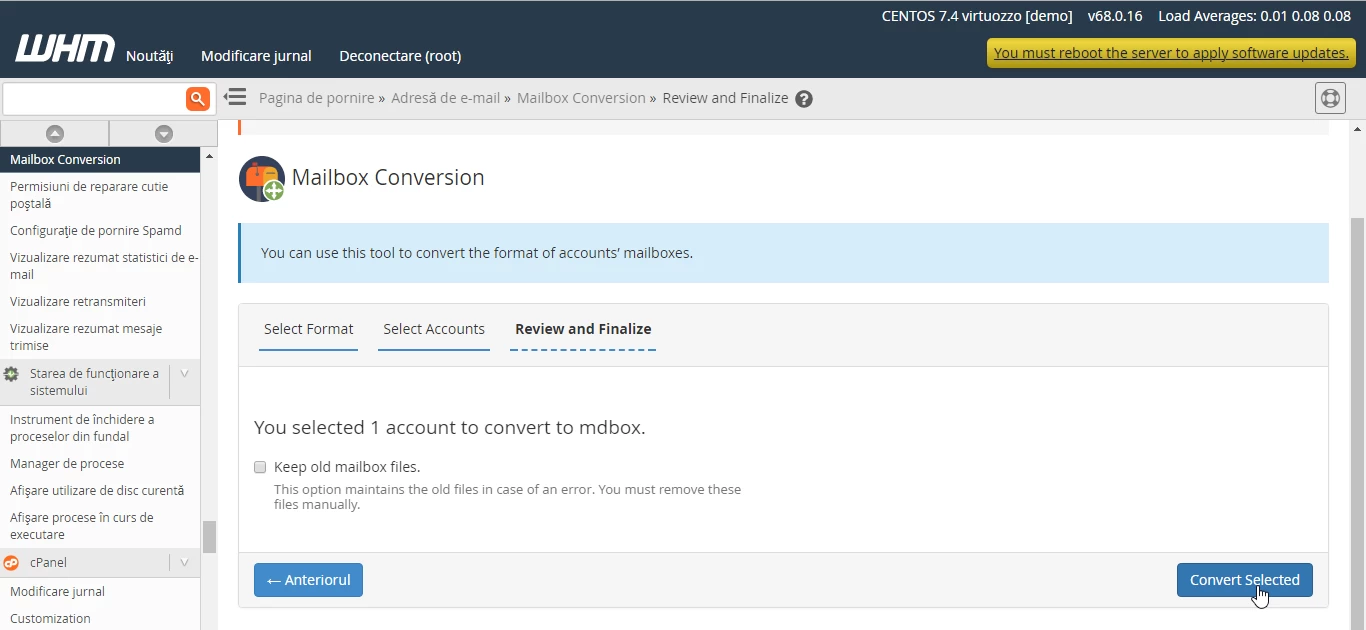
- The last step is to click on Convert selected.
- The system confirms the conversion in the immediate subsequent window.