Tutorials • Email
Creating individual email filters in cPanel
Learn how to create email filters in cPanel to efficiently manage messages. Follow the simple steps to organize your mailboxes.
Views 1550Updated 2 aniPublished on 30/01/2018by Cătălin A.
Introduction
This tutorial explains how to manage mail filters in the cPanel account.
Requirements
- a cPanel account
Steps to Follow
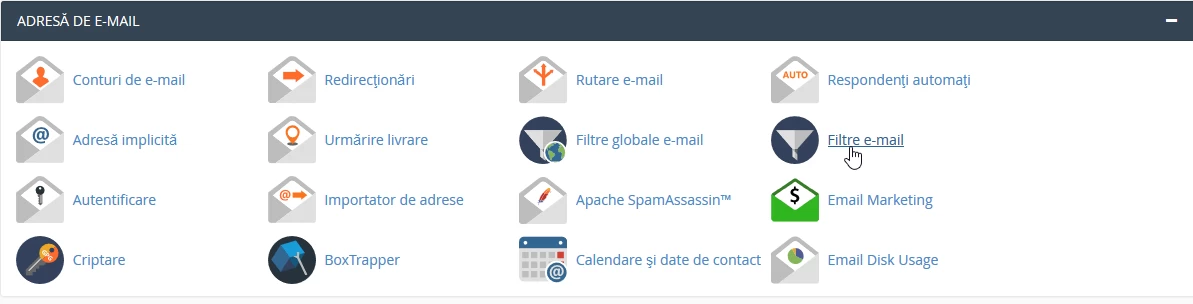
- after logging in to the cPanel control panel, in the interface that will be displayed, we look for the "EMAIL ADDRESS" section, and there we click on "Email Filters"
- in the next window there is a 'by user' filter that allows quick searching of a specific email box
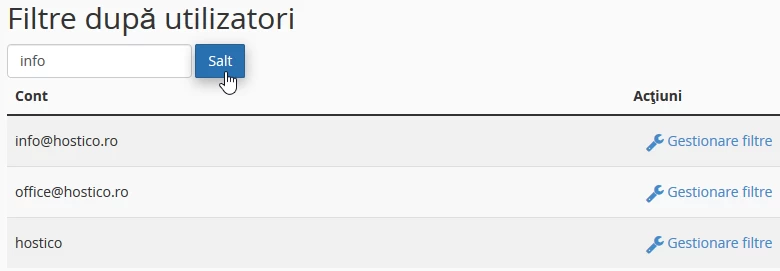
- The buttons on the right of each box allow editing an existing filter on that box or creating a new filter.