Tutorials • cPanel
Defining a default email address in cPanel
This article explains how to set a default email address for the cPanel account.
1
Views 1550Updated 2 aniPublished on 03/12/2017by Cătălin A.
Introduction
This tutorial explains how to configure a default email address for the cPanel account.
Requirements
- a cPanel account
Steps to Follow
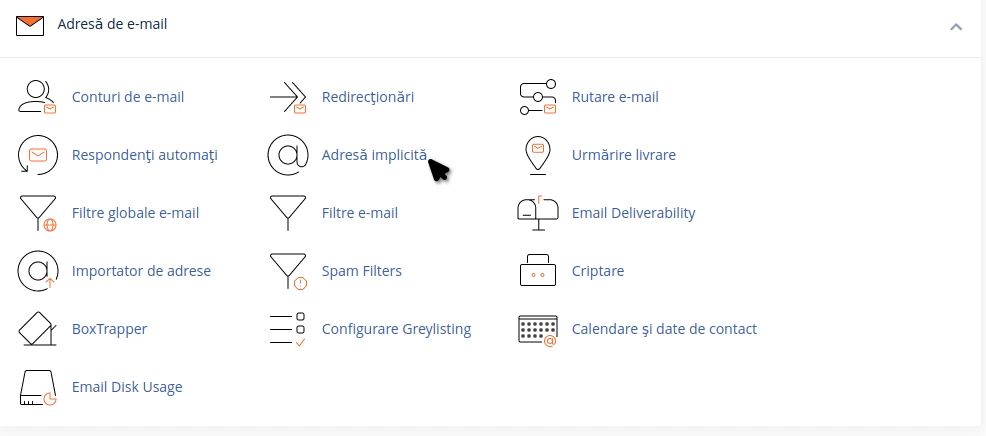
- after logging into the cPanel control panel, in the interface that will be displayed, we look for the "EMAIL ADDRESS" section, and there we click on "Default Address"
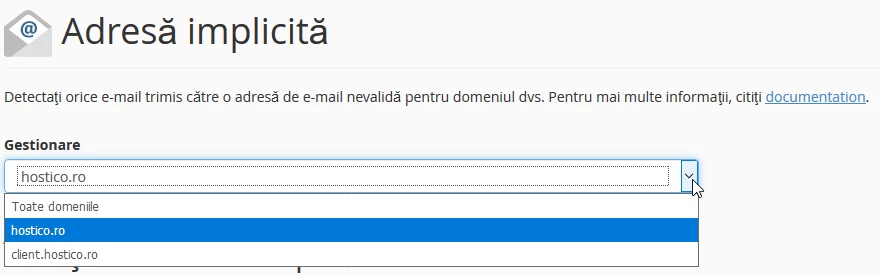
- in the next window you will need to select the domain for which the address is being configured.
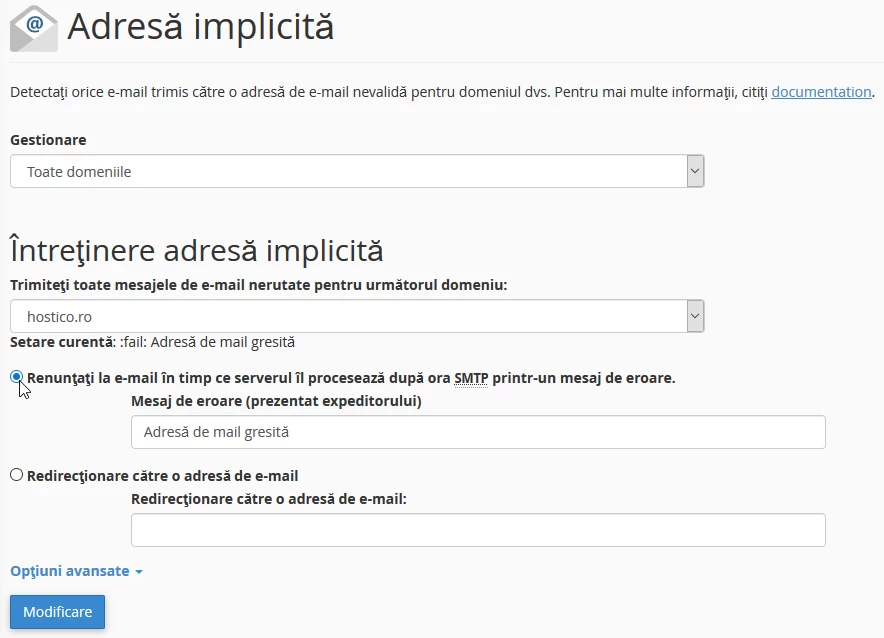
- In the same window we can choose from two options for setting:
- 1. Reject the email while the server processes it after the SMTP time through an error message. Error message (presented to the sender). This option allows you to set a predefined error message that will be sent to the sender, like "Incorrect email address," if the sender sends an email to an address with the @hostico.com extension and makes a mistake with the user.
2. Forwarding to an email address. This option allows you to enter an existing email address to which emails with incorrect user will be redirected. In this way, these messages will be handled by the mail server and will reach the predefined address.
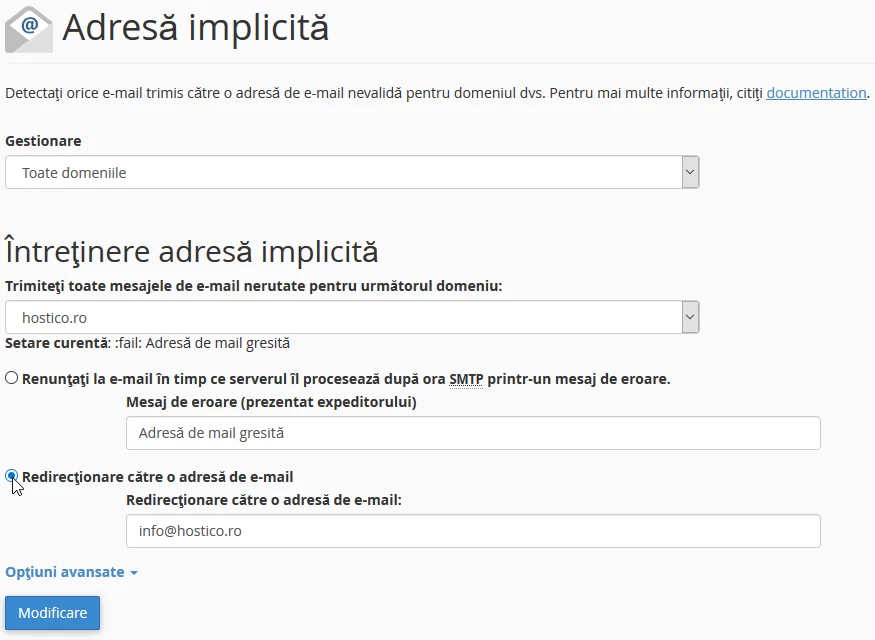
- after choosing any option, click the "Modify" button