Tutorials • Plesk
Modification or creation of predefined user roles in the Plesk administration panel
In this article, we will present the steps necessary to create predefined user roles in the Plesk control panel. We will be able to assign these roles to the users created.
Views 869Updated 1 anPublished on 07/02/2020by Alexandru J.
Introduction
- User roles represent sets of administrative privileges granted to a user. These facilitate the configuration of the access level you wish to offer to your Plesk accounts/subscriptions.
Requirements
- Administrative level access to the Plesk management panel, username, and password.
Steps
- From the main left Plesk menu, select the Users category
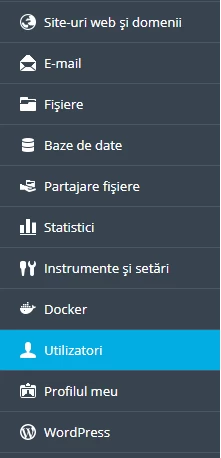
- The User Roles tab will be selected, then click on the Role to be modified or the Create user role button

- The desired name for the Role is filled in:

- After which the rights that users with this role will benefit from will be selected, for example:
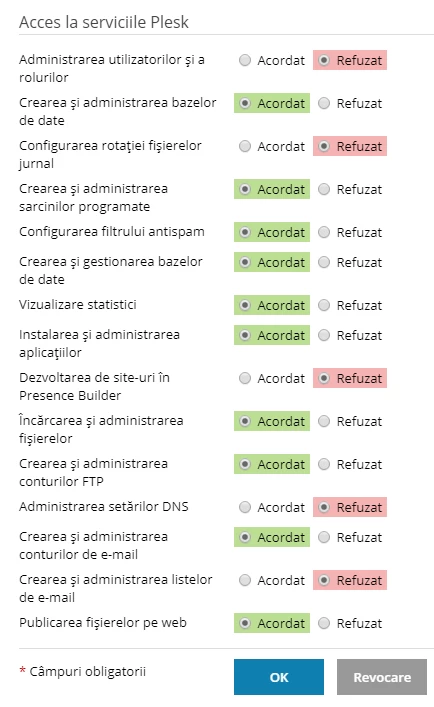
- Consider the needs of the desired role and select the appropriate privileges. After saving the desired selection, the Role can be assigned to a user.