Tutorials • WHM
Repairing email account permissions in WHM
In this tutorial, we will show you how to update permissions for the email account in the WHM administration panel.
Views 773Updated 4 aniPublished on 25/11/2017by Florin P.
Introduction
- In this tutorial, we will show you how to update or repair permissions for the email account in the WHM administration panel.
Requirements
- Access to the WHM administration panel.
Steps
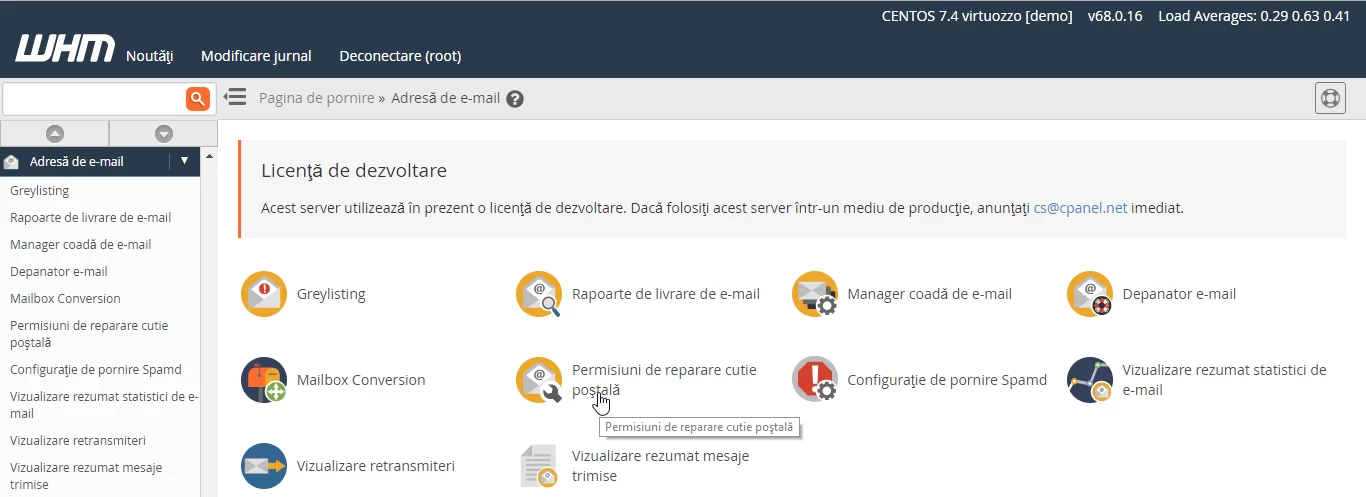
- After logging in to the WHM administration panel, we will go to Email Address and then click on Repair Mailbox Permissions.
- On the next page, we will click the Proceed >> button to start the process of restoring permissions for the mailboxes.

- After the completion of this process, the system will display a report of the changes made.
