Tutorials • cPanel
User manager, adding a user with access to email and FTP in the cPanel account without total access to the cPanel account.
In this tutorial, we will show how to add a new user to the cPanel account with access to email and FTP without having to provide this user with the cPanel account login credentials.
3
Views 1743Updated 2 aniPublished on 15/08/2017by Florin P.
Introduction
- In this tutorial, we will show how to add a new user through the User manager in the cPanel account with access to email and FTP without needing to provide this user with the cPanel account login details.
Requirements
- cPanel account login details.
- Username, the email address of the user to be added.
Steps
- To add a new user with access to Email and FTP through the User manager, we will log into the cPanel account and go to the Preferences section and click on User manager.

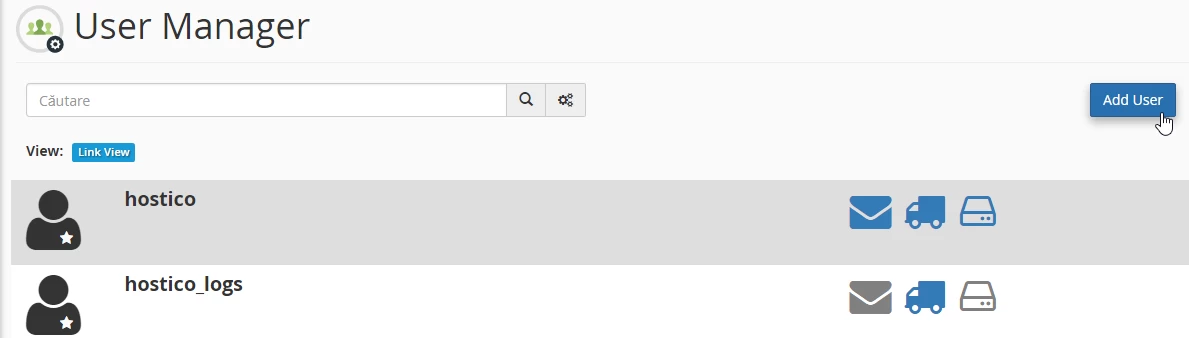
- A new page will open and to add the desired user we will click on Add User.
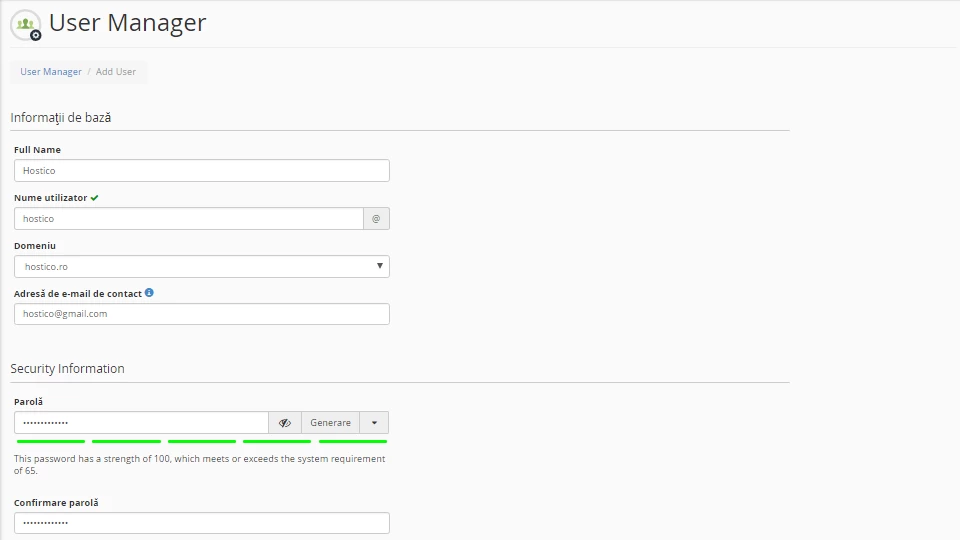
- In the immediate fields below we will add the user's information: name, username, email address, and user password which must be entered in both fields for confirmation.
- Then we will activate the services that the user will have access to: E-mail, FTP, and Web Disk. Here we can also restrict the user based on the allocated space of the email account (Quota), the FTP account, the home directory, and their privileges (read/write). In our case, no restrictions were applied.
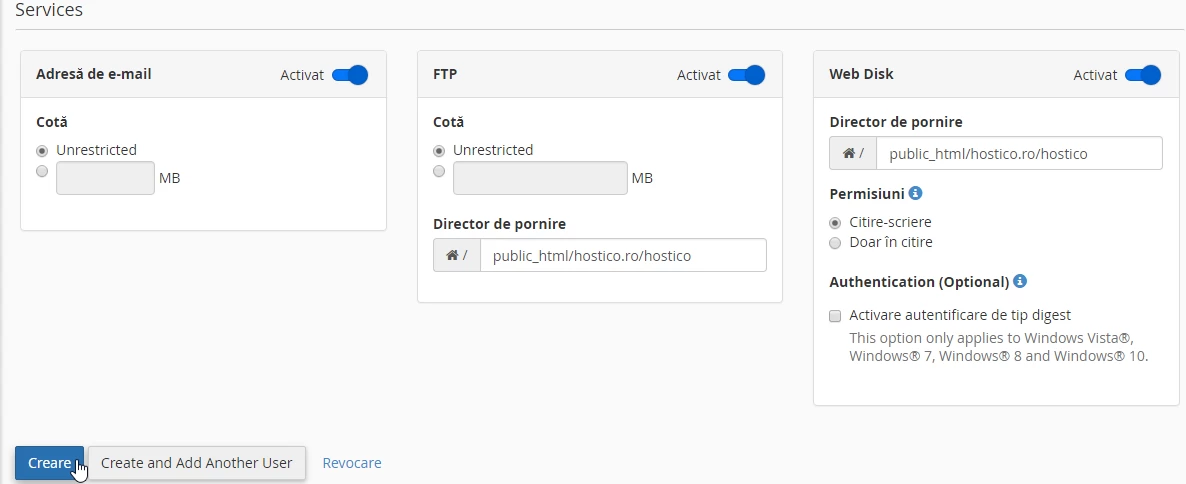
- The completion of this operation will be done by clicking on Create.