Tutorials • WHM
Bandwidth usage visualization
Learn how to view and modify bandwidth usage in WHM. Step-by-step instructions for managing your hostico.ro account.
Views 1064Updated 4 aniPublished on 25/11/2017by Florin P.
Introduction
- In this tutorial, we will show you how to view and modify bandwidth usage
Requirements
- Access to the WHM administration panel.
Steps
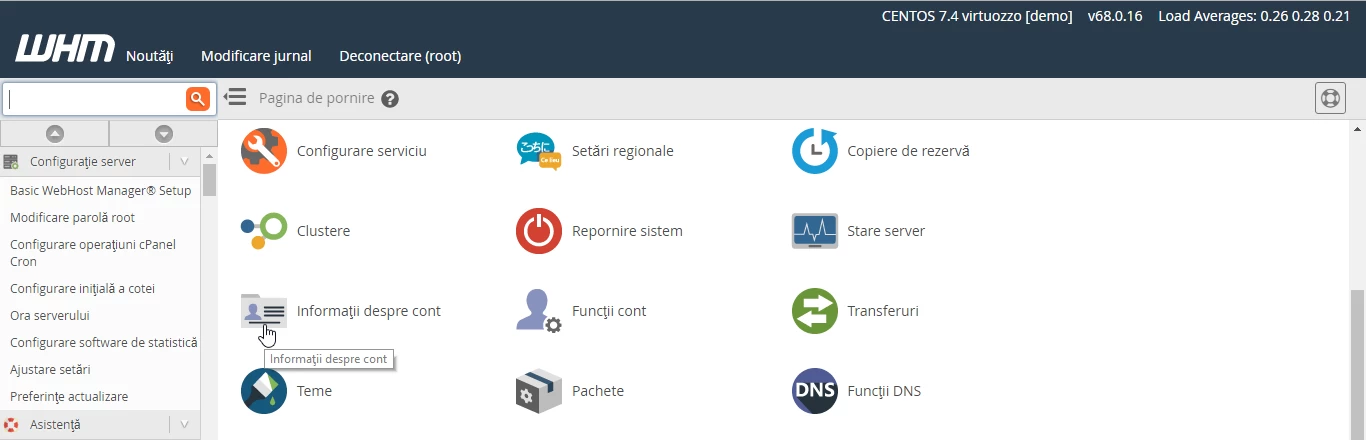
- After we log in to the WHM administration panel, we will go to Account Information and click on View Bandwidth Usage.
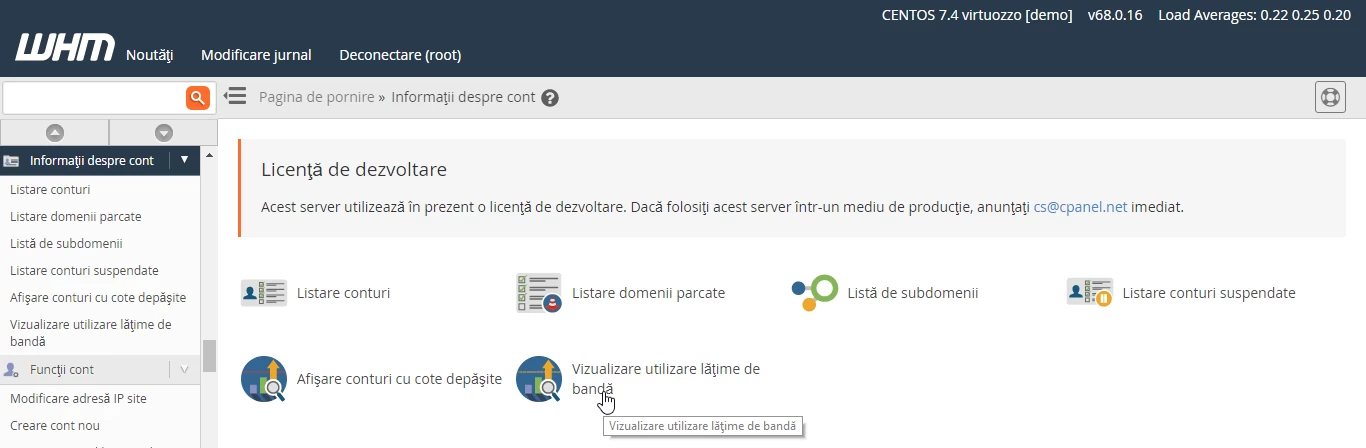
- On the next page, we can view information about bandwidth usage.
- On this page we can see information as user hostico, domain hostico.ro, Xfer value used in MB and Limit - the limit in MB for this account if applicable.
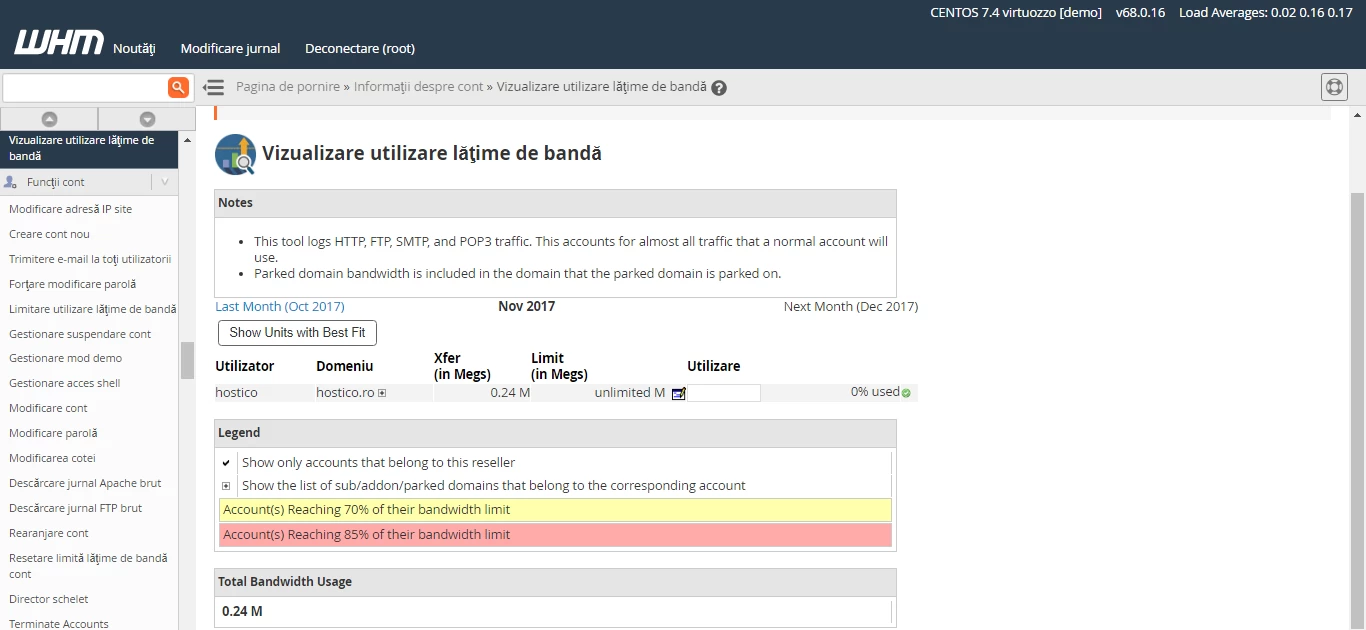
- To modify the bandwidth for our hostico.ro account to a desired value, we will click on the button in the image below.

- Then we will enter the value of 100MB in our case and will click on the Modify button.
