Frequently Asked Questions • Random
How can I find out what is the allocated IP address of my site?
Find out how to identify your website's IP address using the "ping" command or through alternative methods, such as DNS querying or browser plugins.
7
Views 4546Updated 2 aniPublished on 22/08/2018by Sebastian S.
The simplest way to find out the allocated IP (shared or dedicated) of a site is to use the command "ping domainname.tld", available on most operating systems.
For example, in the case of the Windows operating system, we will open the Command Prompt application.
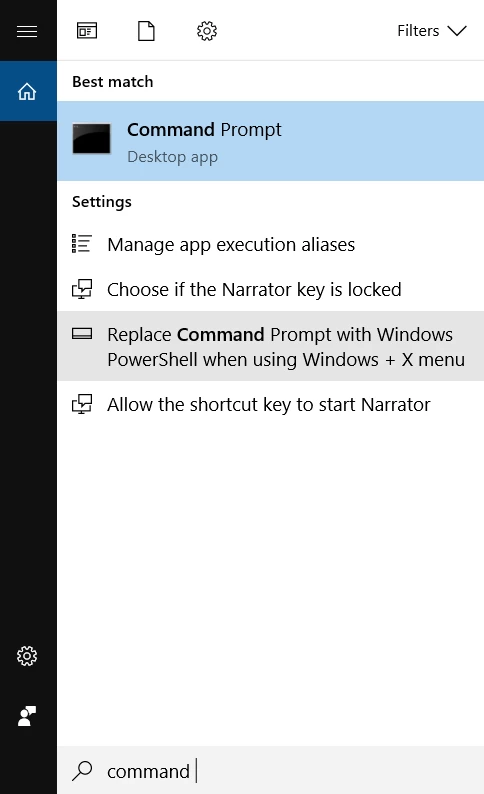
In the command line, we will type the command ping followed by the domain name, after which we will press the enter key.
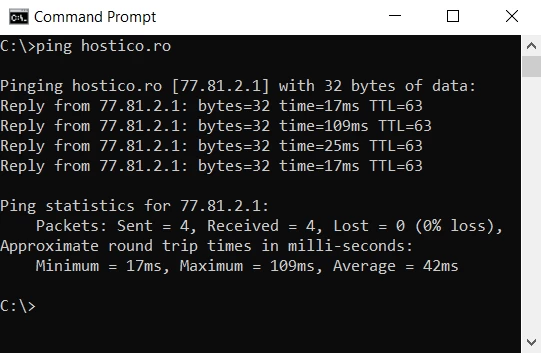
In our example, we can see that the IP associated with the domain hostico.ro is 77.81.2.1.
The IP allocated to the hosting account can also be found in the following ways :
- Allocated IPs can be found in the email with the administration details.
- using online DNS query solutions.
- using various plugins in browsers.