Tutorials • WHM
Viewing accounts that exceed the allocated space and modifying the allocated quota in the WHM administration panel
In this tutorial, we will show how you can view accounts that exceed the allocated space and modify the allocated quota in the WHM administration panel.
Views 988Updated 2 aniPublished on 25/11/2017by Florin P.
Introduction
- In this tutorial, we will present how you can view accounts that exceed the allocated space and modify the allocated quota in the WHM administration panel.
Requirements
- Access to the WHM administration panel.
Steps
- After we log in to the WHM admin panel, we will go to account information and then click on Show accounts with exceeded quotas.
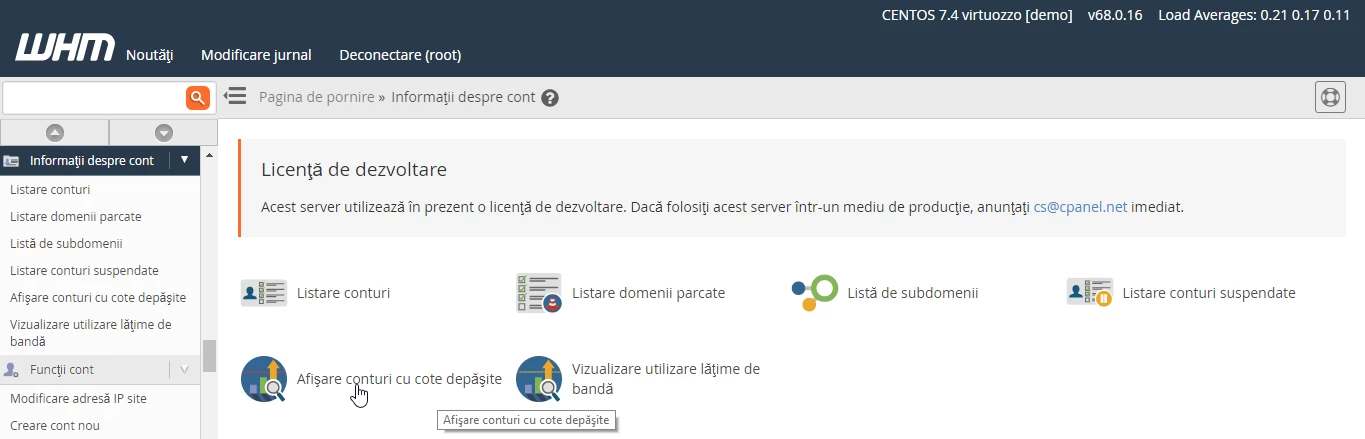
- On the next page, the accounts that exceed the allocated quota will be displayed.
- The account below has an allocated quota of 250MB that it exceeds.
- We can modify the quota by adding a higher value or Unlimited and then click the Save button to save the changes made.
