Tutorials • WHM
Viewing cPanel accounts in the WHM administration panel
In this tutorial, we will show you how to list or view cPanel accounts in the WHM administrative panel.
Views 1155Updated 2 aniPublished on 15/08/2017by Florin P.
Introduction
- In this tutorial, we will show you how to view or list cPanel accounts in the WHM administration panel.
Requirements
- A WHM account
Steps
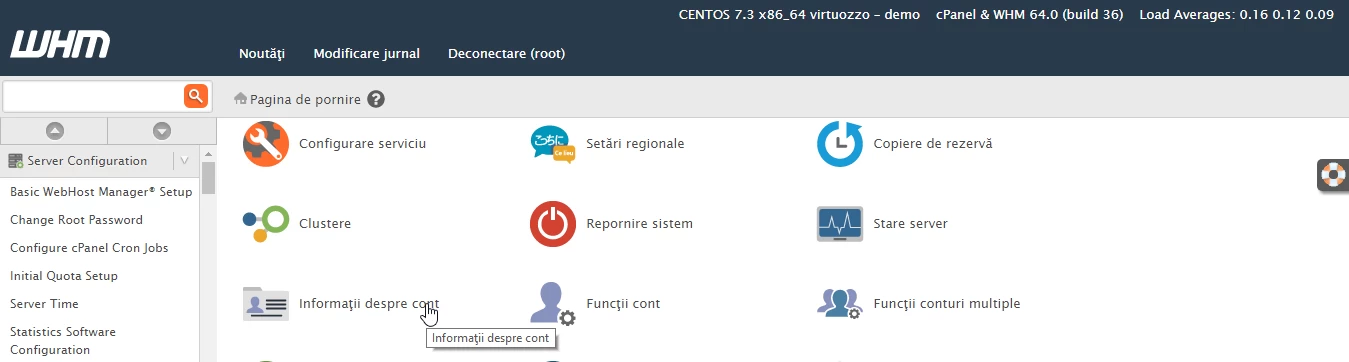
- After logging into the WHM administration panel, we will click on Account Information.
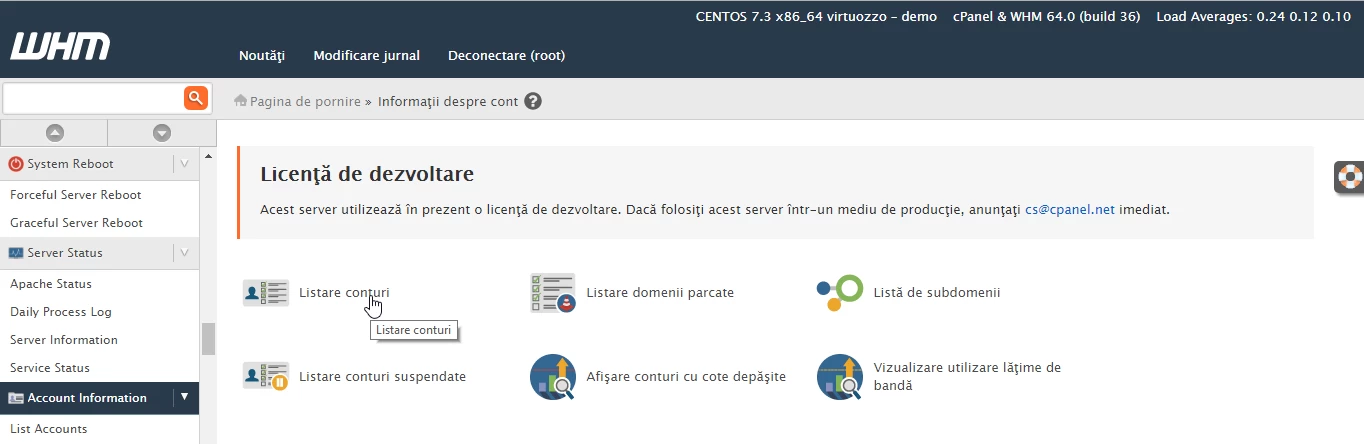
- On the next page, we will click on Account Listing.
- On the new page we will have available the cPanel account or accounts and some information about them, in our case there is a single account hostico.ro.
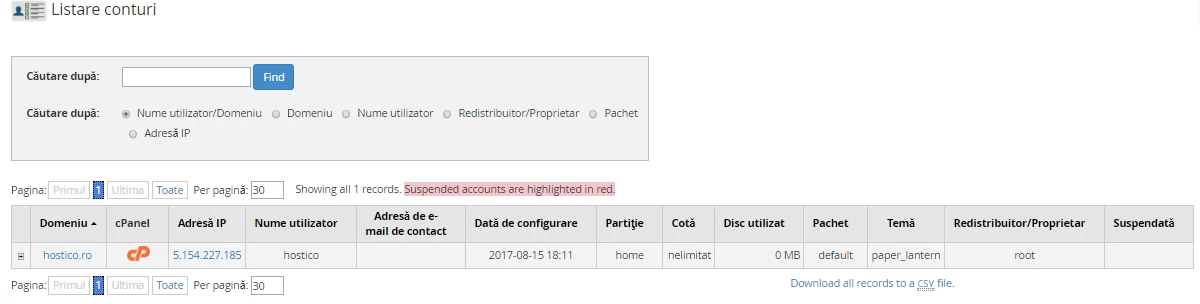
- In the account section, we are provided with the following information about the hostico.ro account: domain name, link to the account management panel (cPanel), IP address, username, email address if it was configured at the time the account was created, partition, quota (allocated space for the account), occupied space, name of the package allocated to the account, theme configured for this account, account owner, and in the last field, we can see whether this account is active or suspended.