Tutorials • Plesk
Webspace Plesk
Manage your domains with Plesk Webspace! Learn how to set up websites, manage IPs, and use SSL for security.
Views 918Updated 1 anPublished on 03/06/2019by Florin P.
Introduction
- The Plesk control panel uses Webspace to manage access to domains and control panel features.
Requirements
- Access to the administration panel, user and password provided by Hostico.
Steps
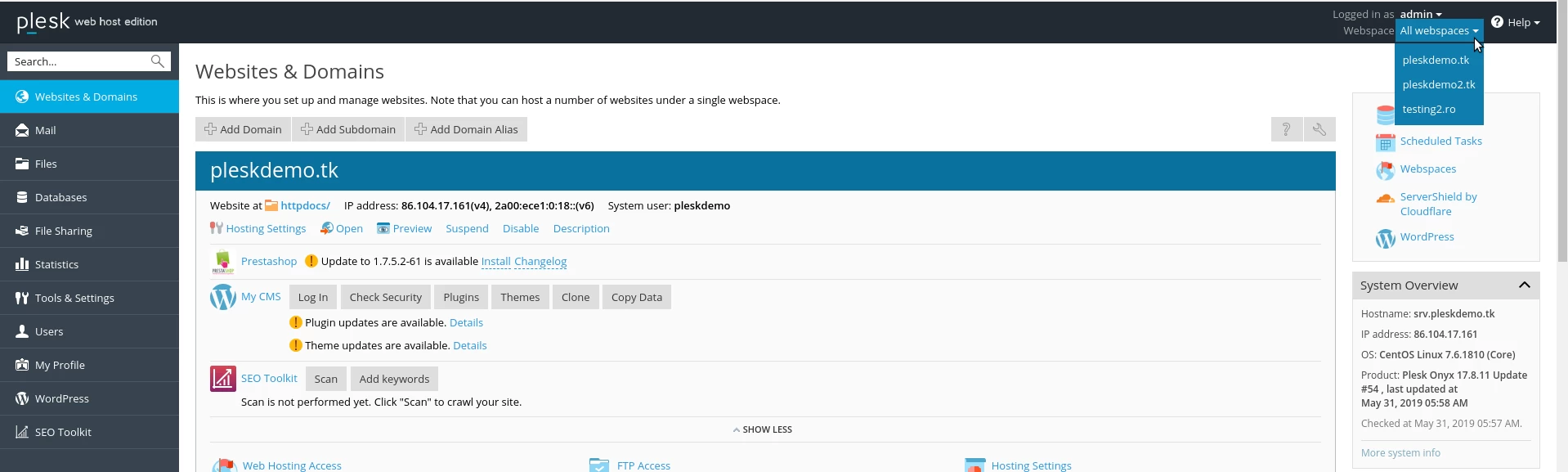
- After logging in, on the right side of the page we have the Webspace menu available.
- Each webspace can have multiple domains, it is associated with an IP address, an SSL certificate, and credentials for FTP access restriction.
- To configure different sites on different IP addresses, we will use multiple web spaces.