Tutorials • Commercial
Resetting the password for the Hostico client account
Learn how to reset your Hostico customer account password step by step. Follow the instructions to receive an email with the password regeneration link.
1
Views 1956Updated 2 aniPublished on 01/07/2017by Mark D.
Introduction:
- In this tutorial you will see how to regenerate the password for the Hostico customer account.
Requirements:
- A Hostico client account
Steps:
- After accessing the site, in the upper right part, the CLIENT, section is accessed, an action that will open the account login page.
- Click on You Forgot Password.
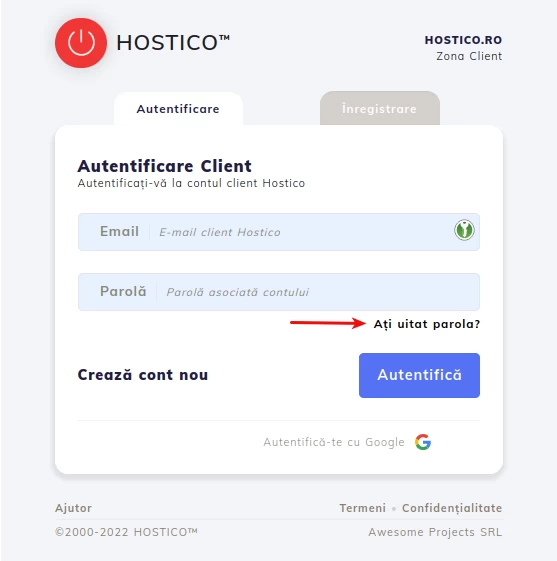
In the Email field - fill in with the email address used to create the client account.
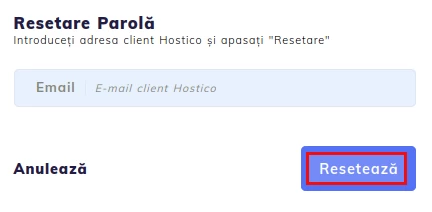
- Finally, press the Reset button to receive the instructions for password regeneration at the provided email address.
- If the process was completed successfully, a confirmation message will appear.
- By accessing the link in the received email, you will be redirected to the password change page.