Tutorials • WHM
Viewing parked domains in the WHM administration panel
Learn how to view parked domains in WHM. Follow the simple steps to access the information you need about your account.
Views 901Updated 2 aniPublished on 16/08/2017by Florin P.
Introduction
- In this tutorial, we will show the method for viewing or listing parked domains in the WHM administration panel.
Requirements
- A WHM account.
Steps
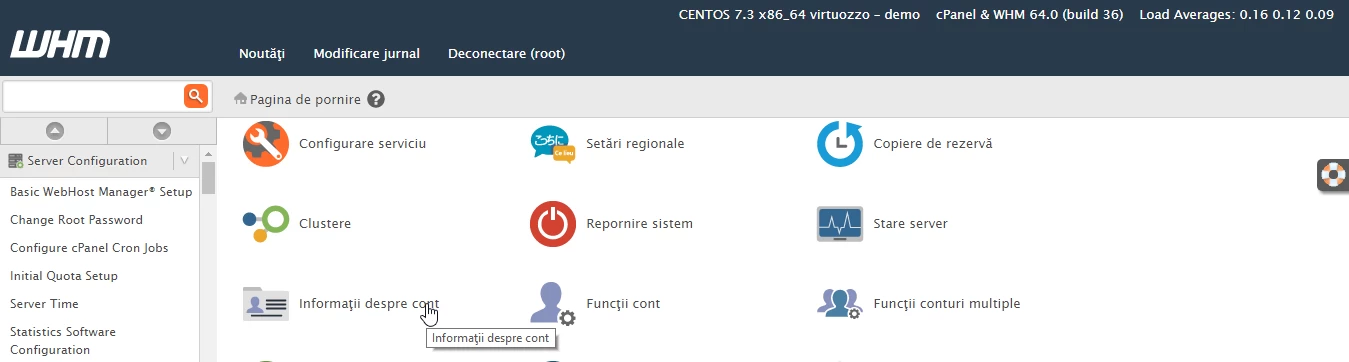
- After logging into the WHM administration panel, we will click on Account Information.
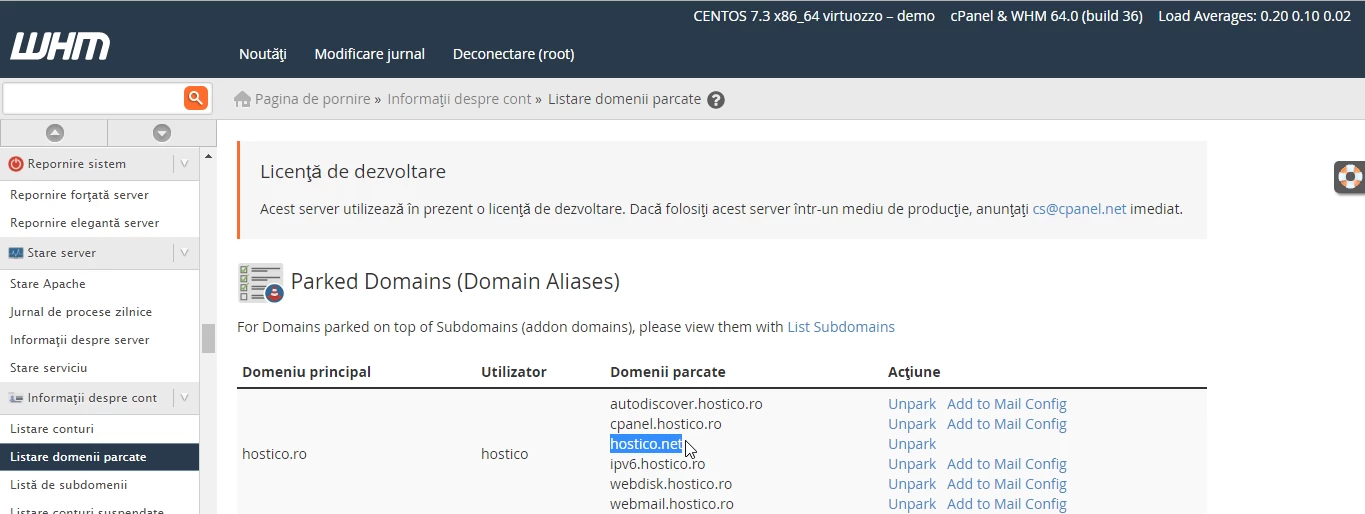
- Then we will click on Parked Domain Listing.

- On the next page, the parked domains are displayed, in our case the parked domain used as an example is hostico.net.